Your priorities. Your time. Together.

Make time
for your to-dos.

That task on your list.
Give it some time today.

Four priorities, alongside your daily schedule.
Alloday makes room for the day you can do.

From a to-do to a place in your day

Mac · iPhone · iPad

Your day, at your deskYour day, in your hand / Alloday
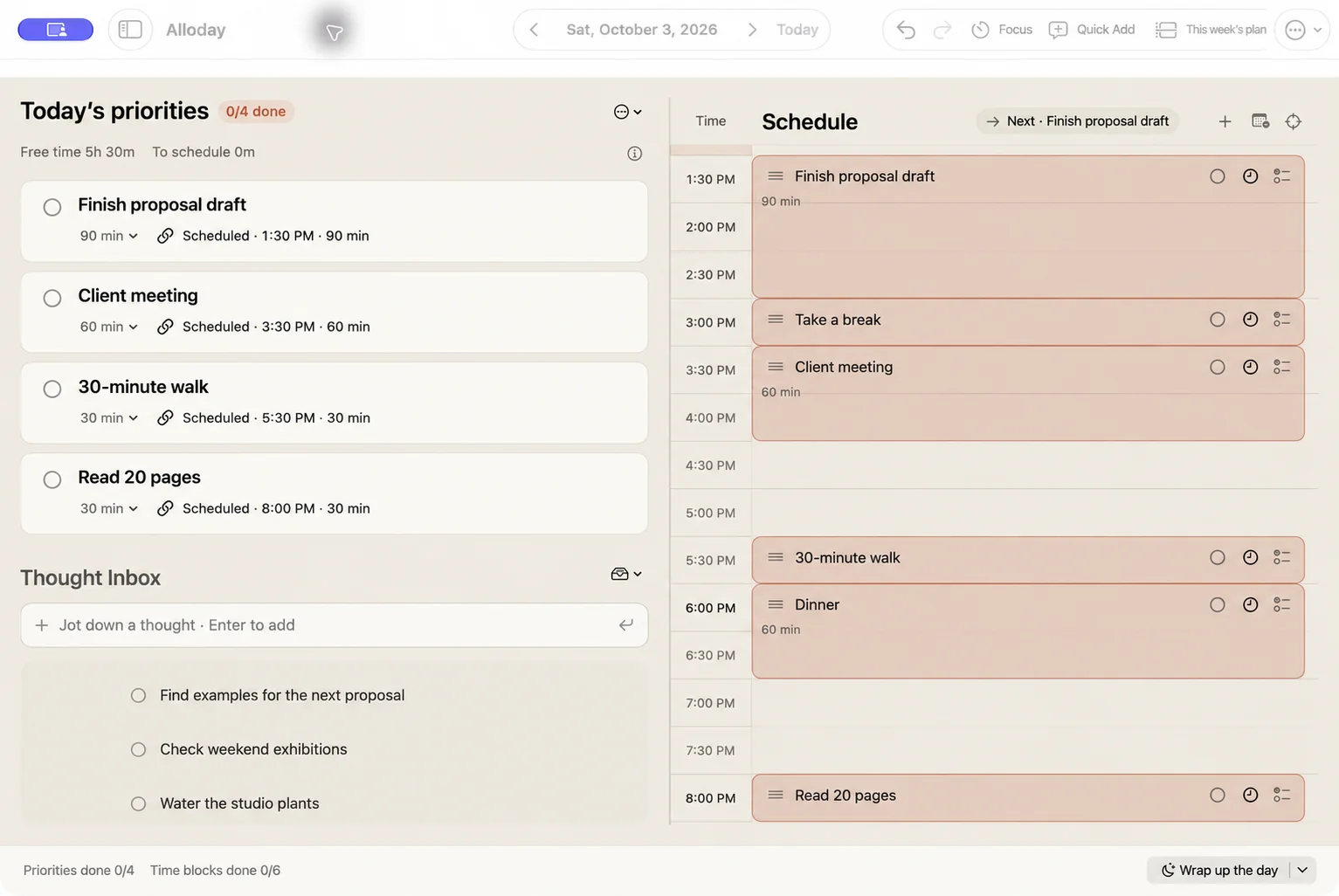
Localized app preview · Sample plansPriorities on the left. Time for them on the right.Priorities and your schedule, in one view.

From a to-do to a place in your day

“Finish the proposal draft”
Give that task a place today.

A day you can manage,
not just a longer list.

  1. Choose it for today.

    Pick up to four priorities for today.
    Keep your other ideas in the inbox.

    Today’s priorities
    Localized priority: finish the proposal draft, estimated at 90 minutes and scheduled for 1:30 pm.
    Decide how much time the task needs, too.
  2. Give it some time.

    A 90-minute task needs a 90-minute space.
    When your day changes, move the block.

    Time blocks in 30-minute steps
    Localized schedule: a 90-minute proposal draft block from 1:30 to 3 pm.
    A task on your list becomes time in your day.
  3. Done? Check it off.

    Completed tasks are marked in the linked schedule, too.
    At the end of the day, look back at what you did.
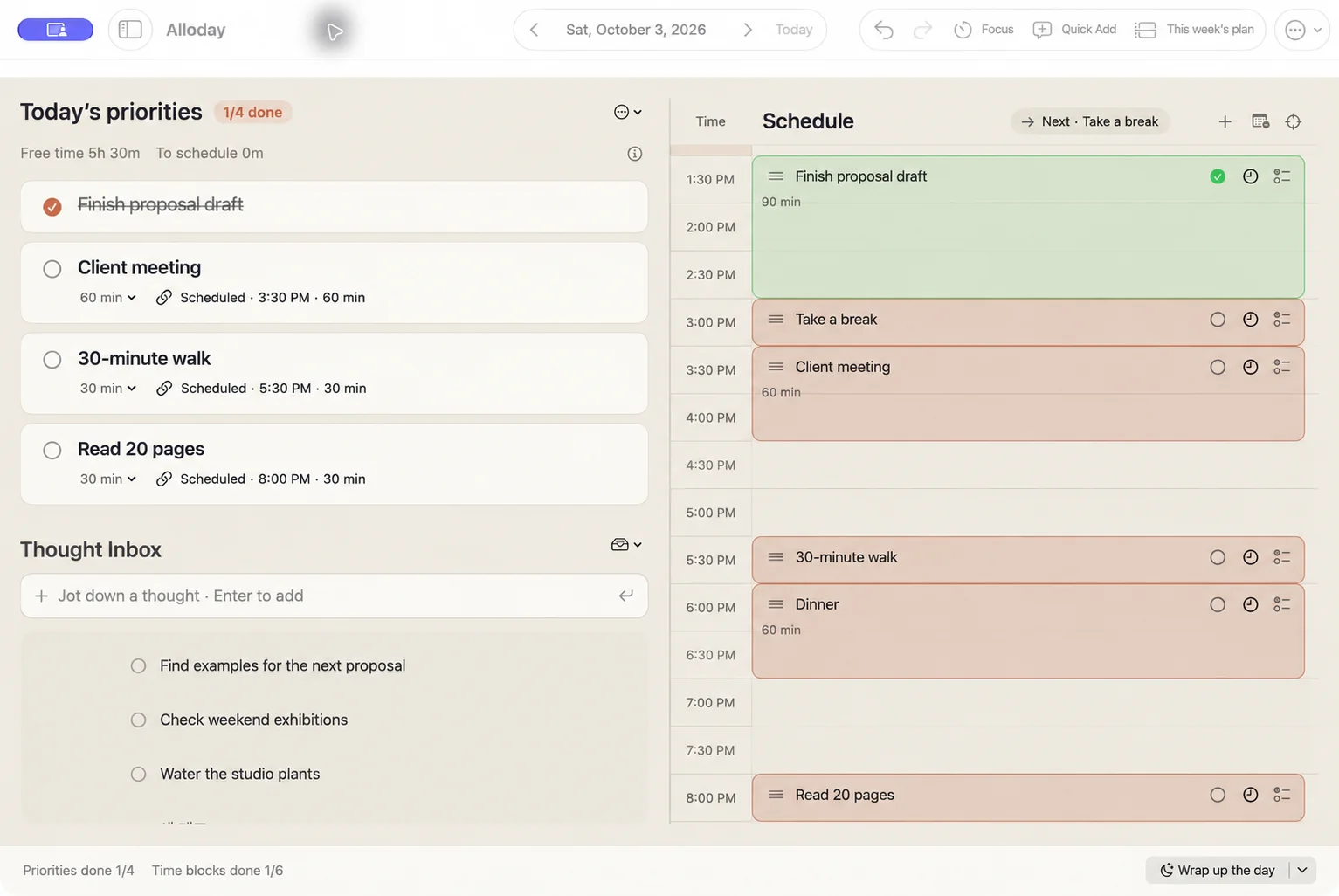
    Completion and daily reflection
    Localized completed view: the proposal draft has a checkmark and strikethrough.
    Even one thing done is a day that moved forward.

ALLODAY FOR IPHONE

A thought to capture.
A day to revisit.

Capture ideas, plan today, and look back.
Here’s how it looks on iPhone.

Not for right now? Write it down anyway.

Collect your ideas here. Move the ones you choose for today into your priorities.

Your records are stored on each device.
Automatic sync between devices is not currently available.

A little less time
spent planning.

Quick Add, in your own words
“Meeting tomorrow at 3 pm for an hour.”
No need to pick the date and time separately.
Your calendar, alongside your plans
See your Apple Calendar events,
then fit your tasks into the time that’s free.
No sign-up. No ads.
Open the app and get straight to your day.
Your records stay on your device.

Take your time. See how it fits.

Start with
21 days together.

Try it free for 21 days. Keep it with a one-time purchase.

Preparing for the App Store

Start by claiming the free trial product in the app.
You won’t be charged automatically when it ends.

You can still read and back up existing records.
Purchase Pro to continue creating and editing records.

Trial & purchase help
English previews use AI-assisted text localization of development screenshots with sample data. Mac: Oct 3, 2026 · iPhone: Sep 25, 2026. The released app may look different.

Localized app screen

Localized Alloday app screen